OpenFlags Dashboard
Learn how to manage projects, flags, and user segments using the OpenFlags dashboard.
The OpenFlags Dashboard provides a user-friendly interface to manage all your feature flags, projects, and environments in one place.
Projects Management
When you log into the dashboard, you will see a list of your projects. Each project acts as an isolated environment for your feature flags.

From the main screen, you can:
- Create a new project: Click "Create Project" and define a name and a unique slug.
- Select a project: Click on a project card to manage its flags and settings.
Feature Flags Management
Inside a project, the Flags tab is where you define and control your feature flags.

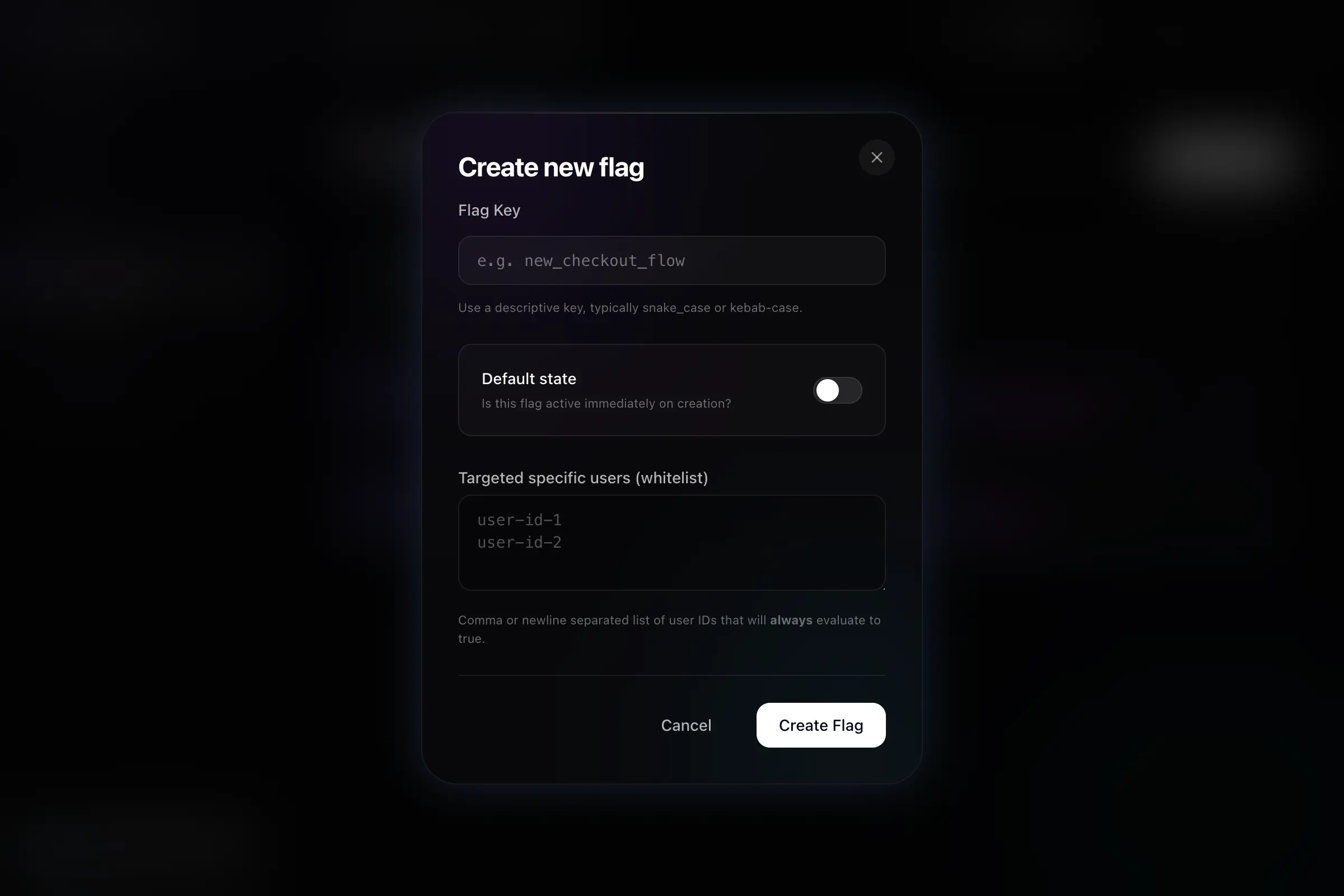
To create a new flag, click Create Flag. You will need to specify:
- Flag Key: The unique identifier used in your code (e.g.,
new_checkout_flow). - Default state: Whether the flag is active (enabled) or inactive (disabled) immediately upon creation.
Advanced Rollout Rules
When creating or editing a flag, you can configure advanced targeting rules:
- Percentage Rollout: Gradually roll out a feature to a percentage of your users (e.g., 20%).
- User Targeting: Add specific User IDs that should always receive the
trueevaluation for this flag. - User Segments: Select predefined groups of users (e.g., "Beta Testers") to enable the flag for them automatically.
User Segments
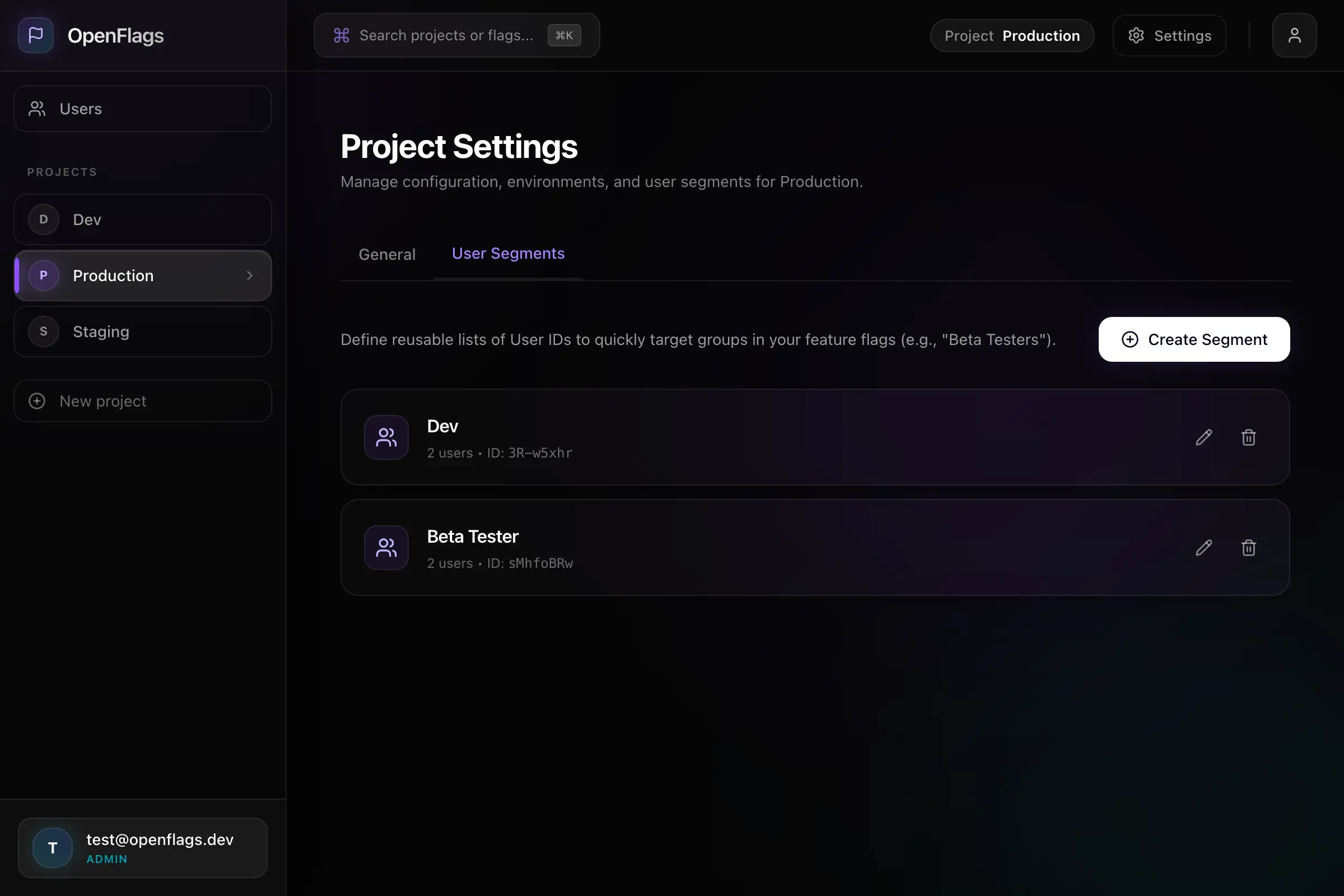
User Segments allow you to define reusable lists of User IDs to quickly target groups in your feature flags. This is perfect for managing internal testers, beta users, or specific customer tiers.
To manage segments, navigate to the Settings tab of your project and select User Segments.
Creating a Segment
- Click Create Segment.
- Give your segment a name, like "Premium Users".
- Paste a comma or newline-separated list of User IDs.
- Click Create Segment.
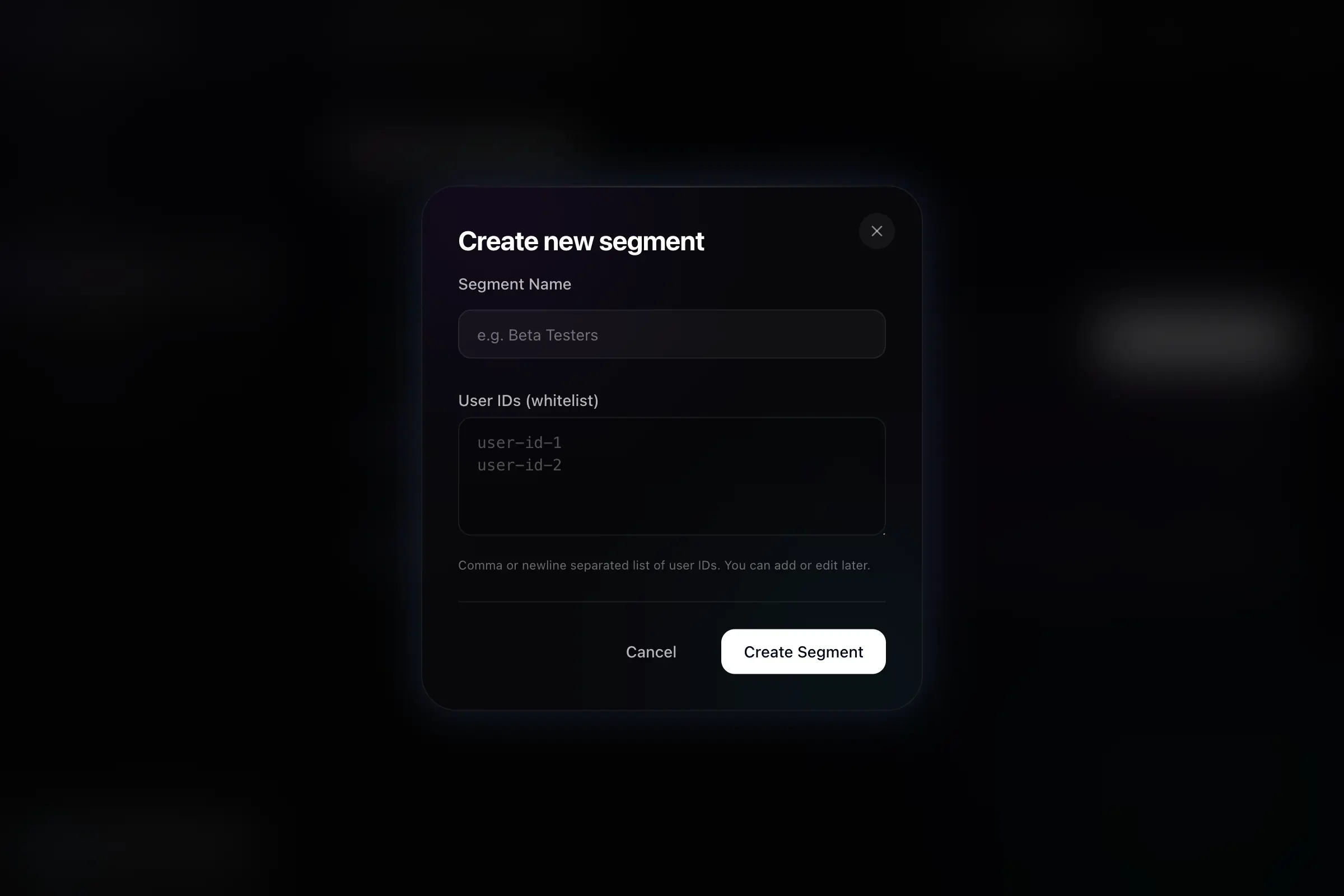
Once created, this segment will be available to select when editing any feature flag in this project!
General Settings
In the General settings tab, you can find your project's slug, which is required to initialize the OpenFlags SDK in your applications.
Platform Administrators also have access to the Danger Zone, where projects can be permanently deleted.